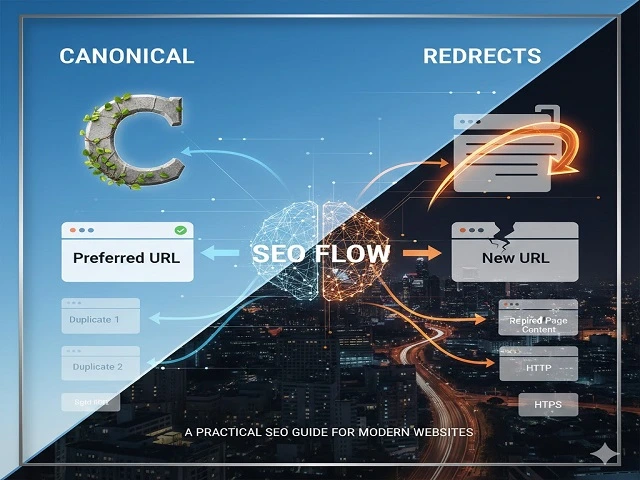
Choosing between a canonical tag and a redirect may seem like a small technical decision, but it can significantly impact your website’s indexing, rankings, crawl budget, and link equity. Many websites—especially growing and enterprise-level sites—suffer SEO losses simply because the wrong signal is sent to search engines.
In this guide, we’ll break down canonical vs redirects, explain when to use canonical vs redirect, highlight common SEO mistakes, and share best practices used by professional SEO teams managing modern websites. Whether you’re handling duplicate content, migrations, or URL consolidation, this practical guide will help you make the right choice.
What Is a Canonical Tag?
A canonical tag (rel="canonical") tells search engines which version of a URL should be treated as the preferred or primary version when multiple similar or duplicate pages exist.
Example:
<link rel="canonical" href="https://example.com/preferred-page/" />From an SEO perspective, canonical tags help:
- Manage duplicate content SEO issues
- Consolidate ranking signals across similar URLs
- Prevent unnecessary index bloat
However, it’s important to understand that a canonical tag is a hint, not a directive. Google may ignore it if other signals (internal links, sitemaps, redirects) contradict the canonical suggestion.
Common Canonical Use Cases
- Filtered and faceted URLs
- Ecommerce product variations
- URLs with tracking parameters
- Pagination (used carefully)
What Is a Redirect in SEO?
A redirect sends users and search engines from one URL to another automatically. Unlike canonicals, redirects are directives, meaning search engines must follow them.
The most commonly used redirect types include:
- 301 redirect – permanent redirect
- 302 redirect – temporary redirect
- 303, 307 – used for specific technical scenarios
From an SEO standpoint, 301 redirects are the most important because they:
- Transfer link equity
- Remove old URLs from the index
- Provide a clear signal to Google
Redirects are essential during website migrations, URL restructuring, and content consolidation.
Canonical vs Redirects: Key Differences
| Factor | Canonical Tag | Redirect |
|---|---|---|
| SEO Signal | Hint | Directive |
| User Experience | User stays on same URL | User is sent to new URL |
| Index Control | Partial | Strong |
| Link Equity | Consolidated (not guaranteed) | Passed (stronger) |
| Best For | Duplicate content | URL replacement |
Understanding the difference between canonical and redirect is critical to avoiding conflicting SEO signals.
When Should You Use a Canonical Tag?
Use a canonical tag when:
- Multiple URLs must exist for users
- Pages are similar but not meant to be removed
- You want Google to index one primary version
Examples:
- Ecommerce category pages with filters
- Product pages with size or color variations
- Campaign URLs with UTM parameters
Canonical tags work best when duplicate URLs are unavoidable and user access is still required.
When Should You Use a Redirect?
Use a redirect when:
- A page is permanently moved or replaced
- You’re migrating from HTTP to HTTPS
- WWW to non-WWW (or vice versa)
- Old or thin pages are merged or removed
Redirects are the correct choice when the old URL should no longer exist in search results.
Using a canonical instead of a redirect during migrations is a common mistake that often leads to ranking drops and crawl inefficiencies.
Canonical or Redirect? A Simple Decision Framework
Ask yourself:
- Should users still access the old URL?
- Is this change permanent?
- Do I need to remove the old URL from Google’s index?
Rule of thumb:
- If the old URL must disappear → use a 301 redirect
- If multiple URLs must exist → use a canonical tag
Common SEO Mistakes with Canonicals & Redirects
Many websites lose traffic due to avoidable technical errors such as:
- Canonical tags pointing to redirected URLs
- Missing self-referencing canonicals
- Using canonicals instead of redirects during migrations
- Redirect chains and loops
- Conflicting signals (canonical + noindex)
These issues are frequently uncovered during technical SEO audits conducted by experienced teams offering SEO services in the USA.
Impact on Crawl Budget, Indexing & Rankings
Incorrect use of canonicals and redirects can:
- Waste crawl budget
- Cause index bloat
- Delay page discovery
- Confuse Google’s canonicalization process
Search engines prefer clear, consistent signals. Redirects simplify crawling, while canonicals help manage duplication—but only when implemented correctly.
For large or enterprise websites, optimizing these signals is often part of professional SEO services for USA businesses focused on long-term scalability.
Best Practices for Modern Websites
Follow these SEO best practices:
- Always use self-referencing canonicals
- Avoid canonical chains
- Keep redirects clean and minimal
- Regularly audit URLs using GSC and crawlers
- Align internal links with canonical URLs
Modern websites competing in the US market often rely on professional SEO services in the USA to manage these technical elements at scale.
FAQs: Canonical vs Redirects
Is a canonical better than a 301 redirect?
No. A canonical is a suggestion, while a 301 redirect is a directive. They serve different purposes.
Can I use canonical and redirect together?
Generally no. Redirects override canonicals and may cause conflicting signals.
Does a canonical pass link equity?
Yes, but not as reliably as a 301 redirect.
Which is better for duplicate content: canonical or redirect?
Use canonical when duplicate URLs must exist. Use redirect when they shouldn’t.
Conclusion
Understanding canonical vs redirects in SEO is essential for maintaining strong rankings and clean indexing. Canonicals help manage duplication, while redirects enforce URL changes. Using the wrong one can lead to lost traffic, wasted crawl budget, and poor SEO performance.
If your website handles complex URLs, migrations, or scaling challenges, working with an experienced team offering SEO services in the USA can help prevent costly mistakes and ensure long-term growth.